This is a pretty common issue, usually caused by your Jellyfin client trying to stream at a
higher speed than my server currently allows. To fix it, you'll need to manually adjust the
"download speed" or "quality" setting, depending on what you're watching on.
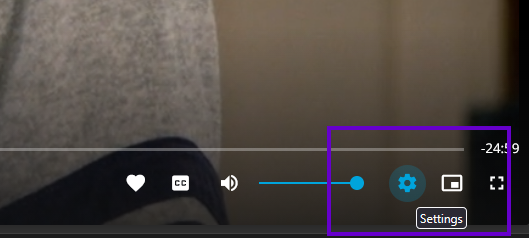
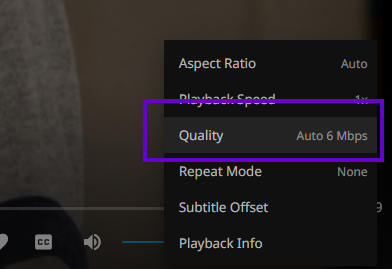
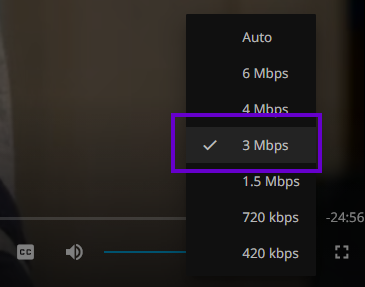
While watching something, pause it. On the bar at the bottom, one of the settings should let you adjust the "Mbps" or "Quality," again depending on your device.
I'd suggest a maximum of 10 Mbps (which is probably already more than you need). When watching remotely, I usually stick to around 3 to 5 Mbps, which works perfectly fine.
While watching something, pause it. On the bar at the bottom, one of the settings should let you adjust the "Mbps" or "Quality," again depending on your device.
I'd suggest a maximum of 10 Mbps (which is probably already more than you need). When watching remotely, I usually stick to around 3 to 5 Mbps, which works perfectly fine.